Navigating the IRS CP53E Notice: A Comprehensive Guide for Taxpayers and Professionals
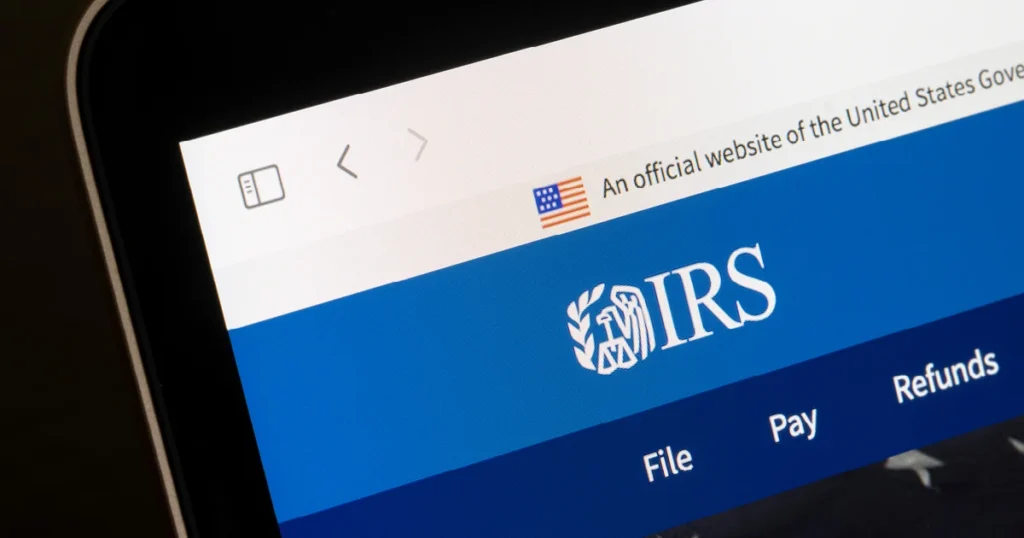
The Internal Revenue Service (IRS) has recently expanded its guidance regarding the CP53E notice, a document that has sparked widespread confusion among taxpayers and financial professionals alike. As the agency pushes forward with a federal mandate to phase out paper checks in favor of electronic disbursements, the CP53E notice has become a central, if somewhat turbulent, feature of the modern tax filing experience.
In its most recent update, the IRS addressed lingering concerns regarding the legitimacy of these notices, particularly regarding the use of QR codes, and provided critical clarifications on how taxpayers should manage their account information. With approximately 1.4 million notices issued as of March, understanding the nuances of this correspondence is essential for anyone navigating the current tax landscape.
Main Facts: What is the CP53E Notice?
The CP53E notice was introduced as a direct response to Executive Order 14247, which mandates the transition toward electronic payments for all federal disbursements, including tax refunds. The goal is to modernize the government’s payment infrastructure, reduce administrative costs associated with printing and mailing paper checks, and increase the security and speed of refund deliveries.
When a taxpayer receives a CP53E notice, the IRS is requesting that they add or update their bank account information via their secure IRS online account to facilitate a direct deposit. The notice imposes a 30-day window for action. Should the taxpayer fail to update their information within this timeframe, the IRS defaults to the legacy method of issuing a paper check, though this process incurs a six-week delay.
Crucially, the IRS has emphasized that the notice is not a request for sensitive information via mail or email; rather, it directs users to the secure, official government portal. Despite this, the rollout has been marred by reports of taxpayers receiving the notice even when they do not expect a refund—a point that has raised significant alarm among tax professionals who fear their clients may be the targets of sophisticated phishing attempts.
Chronology: The Evolution of the CP53E Rollout
The implementation of the CP53E notice has been a process of rapid adjustment and, at times, public friction.
- Pre-Filing Season 2026: The IRS creates the CP53E notice as a standardized mechanism to transition taxpayers from paper checks to direct deposit.
- March 2026: A letter from the House Ways and Means Committee to Treasury Secretary Scott Bessent reveals that 1.4 million taxpayers have already received the notice. The sheer volume of the distribution begins to overwhelm tax offices and the Taxpayer Advocate Service (TAS).
- May 11, 2026: Recognizing the growing confusion and the potential for security vulnerabilities, the IRS publishes a significant update to its Frequently Asked Questions (FAQs). This update addresses the authenticity of QR codes and provides guidance on troubleshooting common technical hurdles.
- Present Day: The IRS continues to refine its guidance, emphasizing that tax professionals and taxpayers alike should verify the validity of the notice through the official IRS online portal rather than reacting impulsively to the physical document.
Supporting Data and Security Concerns
The primary source of anxiety surrounding the CP53E notice is the inclusion of QR codes. In an era where "quishing" (QR code phishing) is a rising threat, taxpayers are increasingly wary of scanning codes on unsolicited mail.
The IRS has responded to these fears by providing a checklist for digital safety. Taxpayers who choose to use the QR code must ensure:
- The Lock Icon: A secure, legitimate IRS site will always feature a lock icon in the browser address bar.
- HTTPS Protocol: The URL must begin with "https://" indicating an encrypted connection.
- The .gov Domain: The address must strictly end in ".gov." Any variation, such as ".com," ".org," or ".net," should be treated as a malicious attempt to steal credentials.
Furthermore, data from the Taxpayer Advocate Service suggests that many CP53E notices were triggered by automated systems. Because IRS notices are often sent automatically based on return processing data, a simple clerical error or a minor adjustment to a return can cause the system to trigger a notice erroneously. In such cases, the TAS has explicitly stated: "If it was received in error, you’re okay to ignore it."
Official Responses and Clarifications
The May 11 update from the IRS provides much-needed clarity for specific taxpayer scenarios. The agency has addressed three new questions and modified two existing ones to reduce the burden on taxpayers.
New Guidance:
- Technical Access: Taxpayers struggling to access or create an online account are directed to
IRS.help.id.me. This portal provides the necessary verification steps to ensure the user is who they claim to be, thereby maintaining system integrity. - Confirmation of Updates: The IRS has clarified that a successful bank account update will trigger a confirmation message. If an error occurs, the system will provide an alert. Taxpayers are encouraged to read all on-screen messages with extreme care.
- Account Ownership: The IRS is firm on its policy: the bank account provided must be under the taxpayer’s name or a joint account they share. Using a friend’s or family member’s account is prohibited and will result in the rejection of the direct deposit and a reversion to a paper check.
Modified Guidance:
- Direct Deposit Alternatives: The IRS has updated its stance on taxpayers without traditional bank accounts, pointing them to
IRS.gov/ModernPaymentsto explore alternative electronic payment methods. - Consequences of Inaction: The agency reiterated that failure to respond simply results in a paper check being issued after six weeks. There is no penalty for ignoring the notice, provided the taxpayer is not actually owed a refund or has already opted for a different disbursement method.
Implications for Tax Professionals and Taxpayers
The "one-and-done" nature of the bank account update is perhaps the most critical takeaway for taxpayers. The IRS allows only one opportunity to add or update bank information. If the account details are entered incorrectly, the system will reject the direct deposit, and the taxpayer will be forced to wait for a paper check. This underscores the need for extreme precision during the data entry phase.
For tax professionals, the CP53E notice represents a shift in client communication. Practitioners must now educate their clients on how to verify notice legitimacy. If a client receives a CP53E notice, the professional’s first step should be to check the client’s online IRS account. If the notice is not reflected there, or if the taxpayer clearly owes money and is not due a refund, the document is likely a product of an automated system error or, in rarer cases, a sophisticated mail fraud attempt.
Unchanged Procedural Realities
Despite the updates, some procedures remain rigid:
- No Phone Support for Updates: IRS employees cannot update bank account information via phone. Any entity claiming to be able to do so is fraudulent. All updates must be processed through the secure online account.
- The Mandate: The transition to electronic payments is not merely an IRS preference; it is a mandate stemming from Executive Order 14247. As such, the agency is unlikely to reverse course, meaning taxpayers should prepare for an increasingly digital-first relationship with the IRS.
Conclusion
The CP53E notice, while designed to streamline federal financial operations, has served as a stress test for the IRS’s communication strategies. As the agency moves toward a fully digitized payment system, the burden of security and accuracy increasingly falls on the taxpayer. By utilizing the official IRS online portal, verifying the authenticity of URLs, and avoiding the urge to rush through account updates, taxpayers can protect themselves from both administrative delays and potential security breaches.
For those who remain confused, the best course of action is to verify the notice’s status through an authorized tax professional or by directly accessing the IRS’s "Where’s My Refund?" tool. In the digital age of tax administration, caution and verification are the taxpayer’s most effective tools.